
A security camera works without a subscription when it records to storage you own: a memory card in the camera, a home base, or a recorder (an NVR) in a closet. The video stays in your house and you pay once. Before you buy, check what the free tier includes, because some brands keep person alerts or video history behind a monthly plan.
What "no subscription" really means
On the box, "no subscription" usually means the camera can record without a plan. Some features can still cost money. Cloud video history, longer storage and smart alerts that tell a person from a passing car are the usual paid extras.
Consumer Reports explains why. Object recognition often happens on the company's servers, not in the camera, and CR says those features are one way companies nudge buyers into a subscription. CR also points out that cloud storage can cost as much as the camera itself for every year you pay for it. Wyze shows how this plays out: CR notes that its Duo Cam doorbell needs a Wyze Cam Plus plan before it will send alerts for people, pets, packages or vehicles.
Free person detection is still common. CR found plenty of no-subscription cameras that include at least that one smart alert at no extra charge.
Where your video goes with a cloud camera
A cloud plan puts your clips on the company's servers, and from then on the company's policies decide who else can get them.

Police access is the clearest example. A Consumer Reports review of camera privacy policies found that Eufy, D-Link, Google, SimpliSafe and TP-Link all had policies allowing them to give cloud footage to police in emergencies without a warrant or the owner's permission, under an exception in the federal Electronic Communications Privacy Act. Amazon disclosed that Ring did this 11 times in the first half of 2022. Eufy told CR it had received two such requests in a year and could not comply, because the footage was stored on the customers' own cameras.
Ring now also runs a voluntary program. Through Community Requests, local police and fire agencies post requests in the Neighbors app, and owners in the area choose whether to share. Ring says shared clips go to Axon Evidence, your home address and email go with them, and a shared video cannot be taken back. For how home cameras fit into wider police camera networks, see our guide to Flock cameras.
Security is the other question. In December 2022, The Verge reported that eufy had been uploading thumbnails from its cameras, including pictures of faces, to its cloud for push notifications without making users aware. Anker, which makes eufy cameras, said the images were encrypted and added a choice of local or cloud notifications to its app. In January 2023, Anker admitted to The Verge that its cameras were not natively end-to-end encrypted and had produced unencrypted streams for its web portal. It said the problem was largely fixed and promised outside security audits. For any buyer, the point is practical: a local-storage camera can still send pieces of video to its maker for features like alerts, so read how those work before setup.
Three ways to get a security camera with local storage
| Where the video goes | Good for | What to watch |
|---|---|---|
| A memory card in each camera | One or two cameras, renters, a small budget | A thief who takes the camera takes the card too |
| A home base (hub) | Several wire-free cameras from one brand | The base needs power and a network connection |
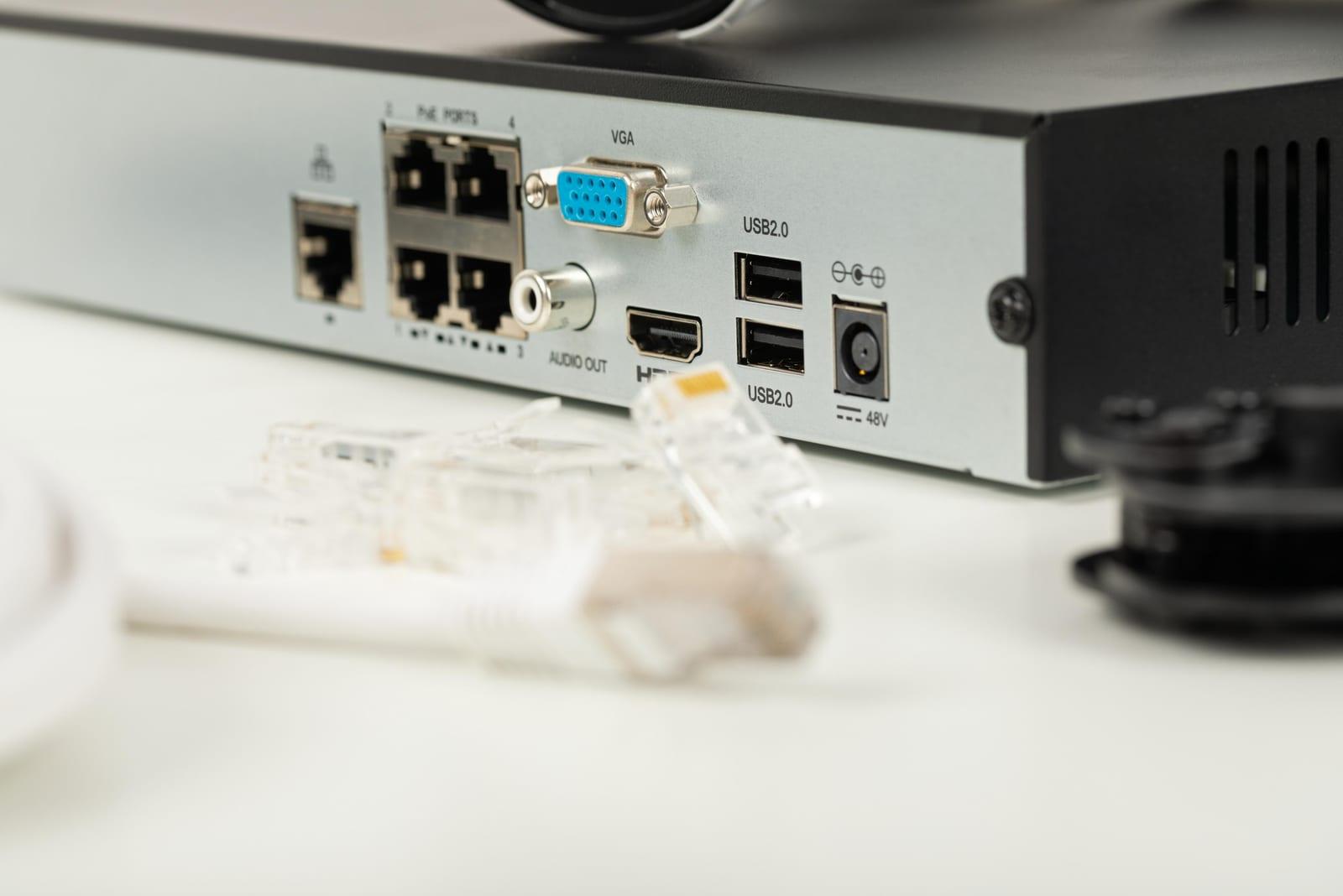
| An NVR recorder with wired PoE cameras | Larger homes, small businesses, 24/7 recording | Every camera needs a cable run back to the recorder |
Each one scales differently. A card tops out at whatever the camera accepts: Reolink's guide to recording without internet says most of its current cameras take cards up to 512 GB, while its doorbells cap at 256 GB. A base can hold far more, and Consumer Reports' doorbell roundup notes that eufy's HomeBase S380 add-on supports up to 16 TB. An NVR keeps recording around the clock with no internet at all, according to that same Reolink page, because the cameras and the recorder talk over their own cables.
If wired cameras appeal to you, our guide to PoE camera systems covers recorder sizes and cable runs.
How to choose an outdoor security camera without a subscription
Start with power, because it decides where the camera can go.
- Battery cameras mount anywhere but need recharging.
- Solar panels keep a battery camera topped up. Our solar security camera guide covers those in more detail.
- Plug-in cameras need an outdoor outlet within reach.
- PoE cameras take power and data over one Ethernet cable, and Reolink lists a maximum run of 330 feet (100 meters) for its PoE cameras.
Then check the Wi-Fi. Some cameras and doorbells connect only on the 2.4 GHz band, so compare the spec sheet with your router and test the signal where the camera will hang before you drill.
Resolution comes next. A 2K or 4K picture shows more detail, and it also makes bigger files, so the same card or drive holds fewer days of video.
Look for detection that runs on the camera or the base. Cloud recognition is a common paid extra, as CR explains above, so a camera that spots people or faces on the device keeps that feature free and keeps the clips at home.
Last, lock down the account. A camera login opens video of your home, so turn on two-factor login, which CISA recommends wherever possible along with changing default passwords and installing security updates. Your camera account is also one more place your name and address sit online; our guide to removing personal information covers the data broker side.
AI motion detection: how a camera tells a person from a branch
Most false alerts start with the motion trigger itself. Reolink explains that battery and solar cameras usually rely on a PIR sensor, which reacts to a change in heat crossing its view, while wired cameras more often compare video frames for changed pixels. Neither method knows what caused the change, so wind in a tree, headlights on the driveway or a squirrel can all set it off.
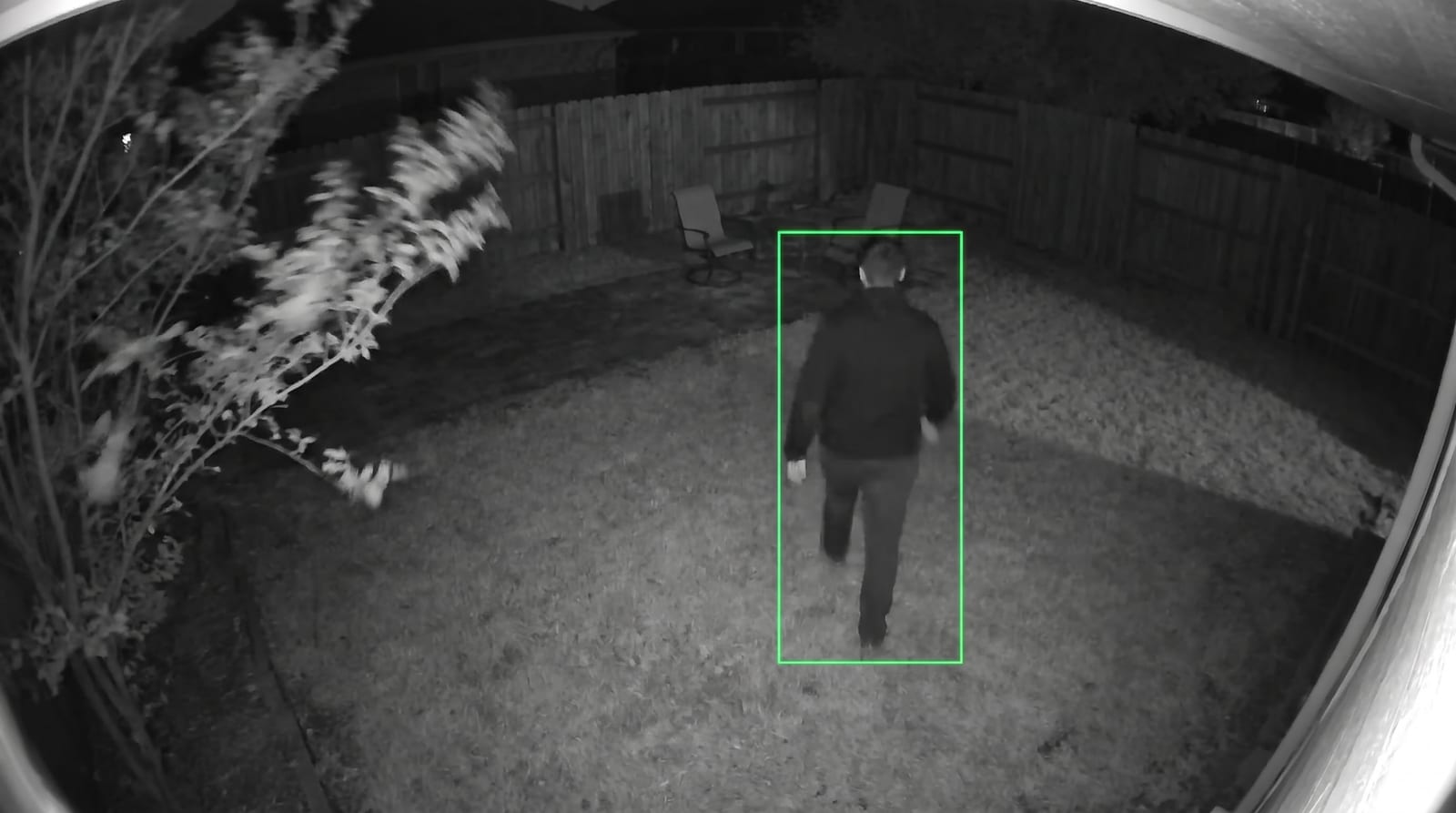
AI detection adds a second step. After the motion trigger fires, a model checks the picture for the shape of a person, a vehicle or an animal, and the camera sends an alert only when it finds one. The branch still moves, but the alert never reaches your phone. Reolink says this check runs on the camera itself on most of its current models. It also says the extra processing shortens battery life on battery and solar cameras, and that a small pet can still be missed or labeled wrong.
Which cameras have the most accurate motion alerts?
We did not find an independent test that ranks brands by false alerts. The Consumer Reports test method measures how fast a camera detects movement and sends the alert, along with video quality, smart features, privacy and data security. An accuracy claim on the box is the brand's own claim. These are the things you can compare before you buy:
- The object types it detects: person, vehicle, animal, package or face.
- Where detection runs (on the camera or base, or in the cloud) and whether it needs a plan.
- Detection zones and a sensitivity setting, which Reolink calls crucial for cutting false alerts.
Of the picks below, the Reolink system detects people and vehicles, the eufy base runs face recognition, and the aosu kit lists cross-camera tracking.
Motion tracking cameras
Tracking is a separate feature from detection. A motion tracking camera uses a motor to pan and tilt and keep a moving person in view. aosu, which sells them, lists the limits: one camera points in one direction at a time, and it can lose a target behind a tree or a car, during fast movement or in low light. Before you buy, check which targets it follows, what it does when two people walk different ways, whether it returns to a home position, and how well it tracks at night.
Options that keep video at home
Each of these records to hardware you own, with no monthly plan required to save video.
eufyCam S330 2-camera kit with HomeBase 3
This kit pairs two 4K battery cameras, each with a solar panel built in, with a HomeBase 3 that stores the video. The base has 16 GB inside, the listing says it expands to 16 TB with an added drive, and face recognition runs on the base. It suits a house where running wires is not practical. Read the eufy history in the cloud section above before you buy, and weigh Anker's 2023 statement that the problem was largely fixed.
See the eufyCam S330 kit on Amazon
aosu 3K solar 2-camera kit
The two 5MP (3K) solar cameras in this kit have a 166-degree view, 32 GB of storage built in and cross-camera tracking, and the listing says no subscription is needed. It fits a first setup on a tight budget. Watch the storage: 32 GB fills fast, and the listing shows no way to add more.
See the aosu 3K solar camera kit on Amazon
Reolink RLK8-800B6 PoE system
This system pairs an 8-channel recorder and a 2 TB drive with six 4K PoE cameras that record 24/7 and detect people and vehicles. Two channels stay open for later. It is for owners who can run Ethernet cable through walls or an attic, or who will pay an installer to do it. That cable is the catch, since every camera needs its own run.
See the Reolink RLK8-800B6 system on Amazon
Settings to change on day one
- Turn on two-factor login for the camera account, and replace any default password on a base or recorder.
- Decide on the cloud. If you do not want clips or thumbnails on the company's servers, turn off cloud backup and pick local push notifications where the app offers them, as eufy added in 2022.
- Find the police and sharing settings. Ring owners can opt out of Community Requests emails under Control Center, then Public Safety, in the Ring app, per Ring's help page.
- Use privacy mode on indoor cameras when people are home, or pick a model with a physical shutter, such as the Tapo C125 that Consumer Reports lists.
- Think about audio. Justia's 50-state survey lists about a dozen states, including California, Florida, Illinois, Massachusetts, Pennsylvania and Washington, where recording a conversation can require everyone's consent. A driveway camera that records two neighbors talking makes you a non-party, and Justia notes that even under one-party rules a non-party needs one person's consent. Turning off audio recording avoids the question.
- Install firmware updates when the app offers them.