
An AI security camera does two checks. First it notices movement. Then a small AI model looks at the picture and decides whether the movement is a person, a car, an animal or a package, so a branch in the wind does not send an alert to your phone. Where that second check runs matters. On some cameras it runs inside the camera or on a box in your house, and the clips stay home. On others it runs in the company's cloud, often behind a monthly plan.
Below: how detection works, which brands charge for it, who can see your video, and how to add AI detection to cameras you already own for free. Company details come from each company's own pages, read on November 18, 2026, unless another source is linked.
What an AI security camera is
Every security camera with alerts has a motion trigger. A plain camera sends an alert each time the trigger fires, so a swaying tree, a passing headlight or a cat can light up your phone all night. An AI security camera adds a step: before it alerts you, it checks what moved.
The check is done by an object detection model, a small program trained on many pictures of people, cars, animals and boxes. It draws an invisible box around what it finds and gives it a label. The camera then alerts you only for the labels you picked. Common labels on home cameras are person, vehicle, animal and package. Some cameras add faces, which is a different and more sensitive feature (more on that below).
Businesses use the same idea at a larger scale: license plate reading, counting people in a store, spotting someone in a closed area at night. This page is about home cameras.
How person detection works: motion first, then the AI check
Step 1: the motion trigger. Cameras use one of two triggers, or both. Arlo explains the difference: its camera-based motion detection "detects changes in video frames," while a passive infrared (PIR) sensor "detects changes in heat signatures." A PIR sensor sees body heat moving, not a picture. Battery and solar cameras typically rely on PIR, Reolink says, and a PIR sensor uses less power than other motion sensors.
Step 2: the AI check. When the trigger fires, the model looks at the frames and decides what moved. Frigate, the free recorder covered below, describes the same order in its documentation: it "uses a very low overhead motion detection to determine where to run object detection." Running the model only where something moved is what lets a small chip keep up.
Zones narrow it further. Most apps let you draw areas to watch or ignore, such as the street or a neighbor's yard. Ring ties its person alerts to Motion Zones, and its package alerts to a Package Zone you draw.
Where it still fails. A plain motion camera sends an alert for whatever triggers it. Reolink's support page lists light, snow, rain and bugs as common causes, and one of its fixes is to set the camera to person and vehicle detection only. AI detection cuts many of those alerts, but not all. eufy says an AI camera "will not remove every one," and that pets, reflections, rain, insects, shadows and poor placement can still set it off. Ring says that "envelopes, tubes, small boxes, and food deliveries might not be detected" by its package alerts. Reolink, which sells cameras with on-camera AI, says a very small pet can still be missed or misclassified, and that AI processing means a shorter runtime between charges on battery and solar cameras.
Where the AI runs: on the camera, on a home hub, or in the cloud
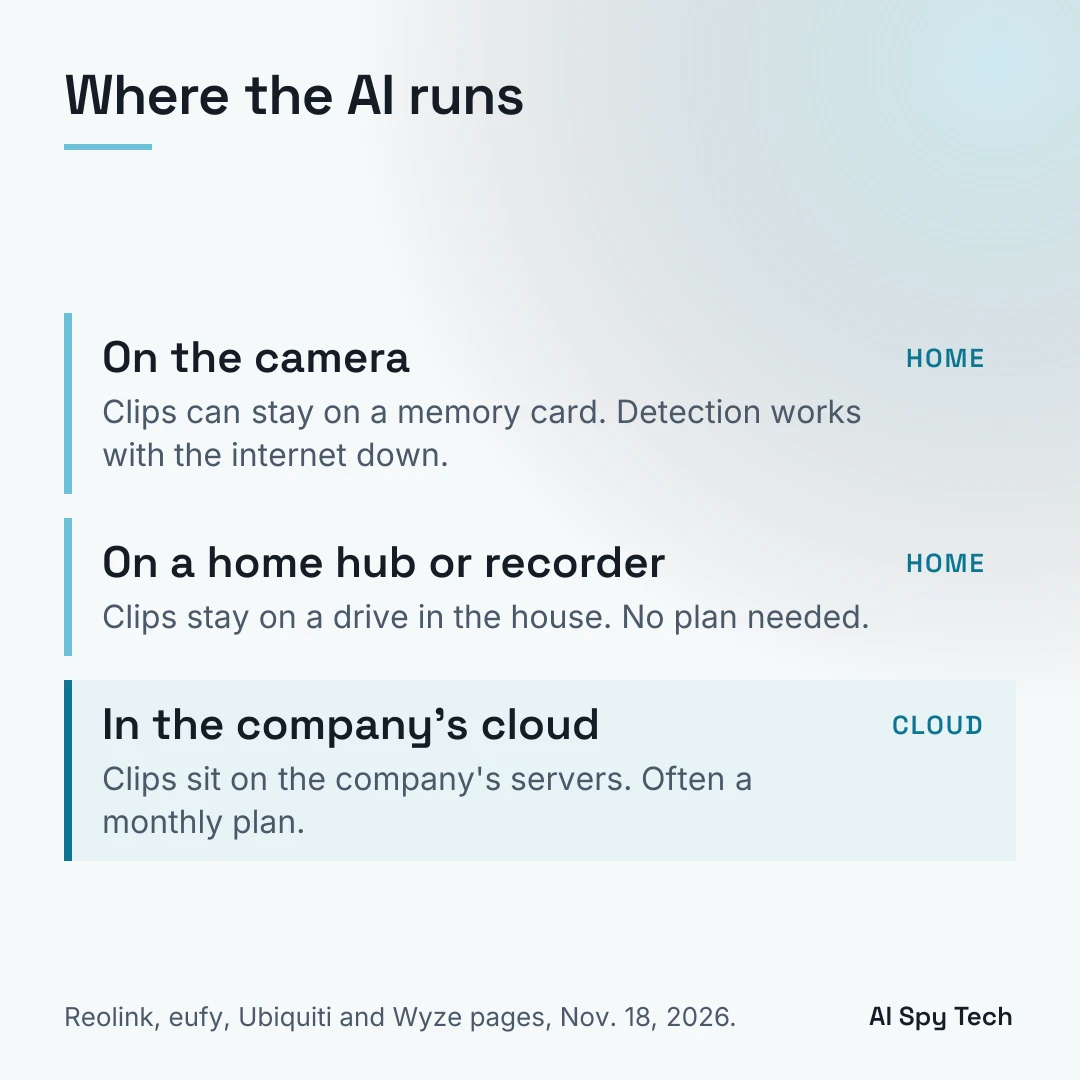
The same alert can come from three different places. Where it runs decides who holds your clips.
On the camera. The model runs on a chip inside the camera. Clips can save to a memory card, and the alert still works if the internet is down (you need the internet to get the alert on your phone away from home). Reolink says: "Person, vehicle, and pet AI detection work locally on current Reolink cameras without any monthly plan." eufy says: "The AI engine is built into the hardware, not in the cloud." eufy's no-fee page adds one catch: push notifications with thumbnail previews store those preview images in the cloud for a time. Wyze calls this Edge AI: "Data processed on the device," on the Cam v3 Pro, Cam v4, Floodlight v2 and Floodlight Pro. Google lists "On-device Machine Learning" on its Nest Cam (battery) spec sheet.
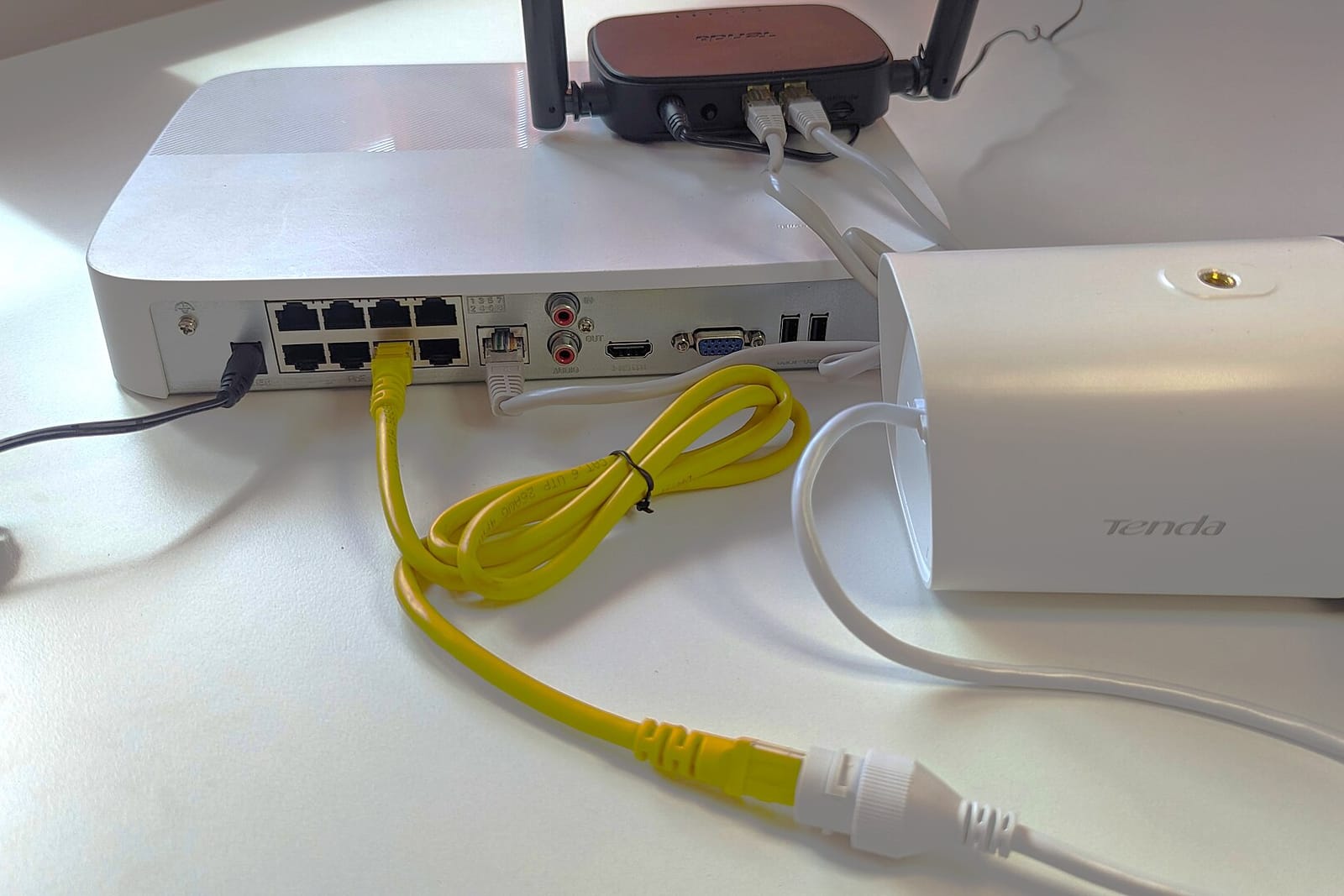
On a home hub or recorder. The cameras stream to a box in your house, a hub or a network video recorder (NVR), and the box runs the model. Ubiquiti says its UniFi Protect system "handles all AI and recording on your local UNVR or Enterprise NVR, eliminating cloud fees, subscriptions, and paid AI add-ons." eufy's HomeBase 3 adds face recognition, pet detection and vehicle detection for its eufyCam line and several other models. Our guide to PoE camera systems covers how a recorder setup works.
In the company's cloud. The camera sends clips to the company's servers, and the model runs there. The company holds the clips, the AI features usually need a paid plan, and the AI alerts stop when the internet is down. Wyze is plain about it: with its subscription AI, "features like Person and Pet Detection involve sending the data from your device to the cloud and remote servers for processing." Ring's face feature is another case: Ring says face profiles are "encrypted and stored in the cloud, not on your Ring devices." Arlo describes its detection as "a series of local and cloud-based processes" without saying which step runs where. Ring's Smart Alerts page does not say where its person and vehicle alerts are worked out.
A cloud model is not wrong by design. Cloud plans give you clips if a thief takes the camera, and the company can improve the model without new hardware. The trade is that your video sits on someone else's servers, under their policies, and anyone who gets into your account can see it.
Smart motion detection: which brands charge for it
"Smart motion detection" is the common name for alerts that say what moved. Some brands include it free; others put it behind a plan. As each company states it:
| Brand | Person / vehicle alerts | Plan needed? | Where the AI runs (company's own wording) |
|---|---|---|---|
| Ring | Person, vehicle, package (Smart Alerts) | Yes. Ring says the feature "requires a compatible Ring subscription" (from $4.99 a month) | Ring does not say |
| Google Nest | Person, animal, vehicle; package on doorbells | No, on current Nest cameras. Familiar faces and sound alerts need a plan | Google lists "on-device machine learning" |
| Arlo | Person, animal, vehicle | Yes. "Requires an Arlo Secure Plan" (from $9.99 a month for one camera) | "Local and cloud-based processes" |
| Wyze | Person, pet, vehicle, package | Yes on most cameras: Cam Plus, $2.99 a month per camera. Free person detection on the Cam v3 Pro; free person and vehicle detection on the Floodlight Pro | Cloud for Cam Plus; on the camera for Edge AI models |
| eufy | Person; pet, vehicle and face recognition with HomeBase 3 | No ("no monthly fee") | "Built into the hardware, not in the cloud" |
| Reolink | Person, vehicle, pet | No | "Work locally on current Reolink cameras" |
| UniFi Protect | Person, vehicle, more by camera | No | "On your local UNVR or Enterprise NVR" |
Sources: Ring, Google, Arlo, Wyze, eufy and eufy plans, Reolink, Ubiquiti. Prices are from each brand's plan page (Ring, Arlo, Wyze) on November 18, 2026. Plans change often: check before you buy.
Nest Aware is now Google Home Premium. Google announced on October 1, 2025 that Google Home Premium replaces Nest Aware. The plans are Standard at $10 a month and Advanced at $20 a month. In Google's feature tables, person, animal and vehicle alerts work with no plan on current Nest cameras. Familiar face detection and sound alerts need Standard, and the AI descriptions of what happened need Advanced.
The plans add up. At Ring Solo's $49.99 a year, one camera's plan costs about $150 over three years. A camera that runs detection on the device or on a home recorder has no such bill. Our guide to security cameras without a subscription covers storage and buying, and the doorbell version covers doorbells.
Face recognition on home cameras
Face recognition goes one step past person detection. Instead of "a person is at the door," it says "Sam is at the door." To do that, the system keeps face data on people it sees. Ring's version adds every clear face to your library automatically, including visitors, delivery drivers and neighbors who never agreed to it.
Ring Familiar Faces. Ring's support page says the feature is "disabled by default" and is turned on per device. It needs Ring's Pro plan or the Pro Intelligence add-on. Face profiles are stored in Ring's cloud. Unnamed profiles are removed after 30 days without recognition. It is not offered in Illinois, Texas or Portland, Oregon, and it does not work with Ring's end-to-end encryption. Ring says its 2K and 4K cameras recognize faces at about 9 to 13 feet and 1080p cameras at about 6 feet, and that masks, low light, fast movement and high mounting cut accuracy. It rolled out in the US in December 2025 over objections from privacy groups (TechCrunch).
Google Nest familiar face detection. Google's help page says it needs a Premium plan and is not offered for cameras in Illinois. Older cameras store face data in the cloud, which Google says is "encrypted and is not accessed by Google." Newer models "store familiar face data directly in their internal memory."
Both companies tell owners that some laws require consent from the people being recognized. If you turn a face feature on, you are the one collecting the face prints. Our page on facial recognition cameras covers the state laws and what they allow.
What has gone wrong with home camera companies
These are the incidents that shaped the "where does my video go" question. Each is from the regulator's or company's own statement, or the news report linked.
- Ring, 2023. The FTC said Ring employees and contractors could access customers' private videos and that Ring failed to stop hackers from taking over accounts. Ring agreed to pay $5.8 million in refunds.
- Wyze, September 2023. For about 40 minutes, up to 2,300 users of Wyze's web viewer may have seen cameras belonging to one of 10 affected users, Wyze said.
- Wyze, February 2024. About 13,000 users received thumbnails from cameras that were not their own, and 1,504 tapped on them, Wyze said.
- eufy, settled January 2025. New York's Attorney General found that, in certain situations, video from eufy products was not end-to-end encrypted and an active stream could be opened by anyone with its link. The companies selling eufy products paid $450,000 and agreed to stronger security, including encrypting video in storage and in transit.
- Ring and police, 2025 to 2026. Ring announced in October 2025 that police using Flock's software could send video requests through Ring, with owners choosing whether to share. In February 2026, after backlash to a Ring Super Bowl ad, Ring ended the planned tie-in, saying the integration never launched and no customer videos were sent to Flock. Our page on Flock cameras covers what Flock is.
None of these needed AI to happen. They matter here because AI features are one more reason for clips to leave your house: a model in the cloud needs the video in the cloud.
Add AI detection to cameras you already own: Frigate NVR
Frigate is a free, open-source recorder that runs AI detection on a computer in your house. Its own documentation calls it "a complete and local NVR designed for Home Assistant with AI object detection." It is released under the MIT license, and the latest version is 0.18.3, released November 19, 2026 (GitHub). That release fixes a flaw in its bundled web server that could let someone run commands on the Frigate computer without logging in. If you already run Frigate, update it. It runs on any Docker host, with or without Home Assistant.
What it works with. Frigate reads a camera's video stream, usually RTSP, a standard stream format most wired IP cameras offer. Check that your camera has an RTSP or ONVIF setting before you start. Frigate's hardware page adds that "WiFi cameras are not recommended": a wired camera gives a steadier stream.
What it does not work with well. Cloud-first cameras like Ring and Nest are not built to send a constant stream. The developer of a popular Ring add-on for Home Assistant wrote that "Frigate expects a 24x7 continuous video feed which Ring cameras just are not designed to provide." Workarounds exist, but they are not practical for most people.
What hardware it needs. A small always-on computer plus an AI chip or supported graphics chip to run the model. Frigate says its CPU detector "is not recommended for general use." Frigate's hardware page lists Hailo-8 and 8L, Google Coral, Intel processors with built-in graphics (6th generation and newer), Nvidia and AMD graphics, and Apple Silicon Macs. One change from older guides: "The Coral is no longer recommended for new Frigate installations," except where very low power use matters most. The page names the Beelink EQ13, a small Intel N100 mini PC, as a suggested server.
What it costs. Frigate itself is free. Frigate+ is an optional $50-a-year service that gives you detection models trained on real users' camera images (frigate.video). Uploading your own images to it is your choice. Our Frigate NVR guide covers setup, hardware and cameras in full.
Who it suits. Someone who is fine editing a settings file and leaving a small computer running. If that is not you, a camera with on-camera detection, or a recorder system like UniFi Protect or a Reolink NVR, gets you most of the same privacy with less setup.
Settings to change on day one
- Draw zones. Mark the parts of the picture you care about, and leave out the street, the sidewalk and the neighbor's yard. Fewer false alerts, and less video of people who are not on your property.
- Pick the alert types. Turn on person and vehicle; leave plain motion alerts off once the AI alerts work.
- Leave face features off unless you need them. If you turn one on, check your state's rules first. (Ring turns Familiar Faces off in Illinois, Texas and Portland, Oregon; Google turns its version off in Illinois.)
- Check Ring's Search Party setting. Search Party lets Ring's AI look through owners' saved outdoor camera video for a neighbor's lost dog. Ring's page says "nothing is shared automatically" and you choose whether to share a match. The Verge reported in October 2025 that the feature is on by default. To turn it off, or opt out single cameras, go to the Ring app's Control Center.
- Know the end-to-end encryption trade. Ring offers an optional end-to-end encryption mode. Ring's page says turning it on switches off Smart Alerts (person, vehicle and package alerts), Familiar Faces, Video Search, Video Descriptions and viewing on Alexa and Fire TV, among others. It is the most private setting, and it costs you the AI.
- Lock the account. Turn on two-factor login. Our guide to removing personal information covers the other places your address shows up online.
The brands in this guide on Amazon
These links go to each brand on Amazon. The plan notes come from each company's own pages, linked in the table above. Check which AI features need a plan before you buy.
Reolink. Reolink says person, vehicle and pet detection run on its current cameras with no monthly plan.
Shop Reolink cameras on Amazon
eufy. eufy says its AI engine is built into the hardware, with no monthly fee. Face recognition, pet and vehicle detection for the eufyCam line need a HomeBase 3.
Shop eufy security cameras on Amazon
Google Nest Cam Indoor (wired, 3rd gen). Google's 2025 indoor camera. In Google's feature table, person, animal and vehicle alerts work with no plan. With no plan, event video is a 10-second preview kept for 6 hours. Familiar face detection and longer video history need Google Home Premium.
See the Google Nest Cam Indoor (wired, 3rd gen) on Amazon
Wyze. On most Wyze cameras, person detection needs Cam Plus. The Cam v3 Pro includes free person detection, and the Floodlight Pro includes free person and vehicle detection.
Arlo. Arlo's person, animal and vehicle alerts need an Arlo Secure plan.