

A digital ID is a copy of your ID that lives on your phone, or a check of your face or age that proves who you are online. In the US you can now use one at airport security, at some stores that check age, and in some apps and websites. Most are optional, and the agencies and companies that run them still tell you to carry your physical card: TSA says travelers "should always carry a physical and acceptable form of ID".
Four kinds of digital ID are in the news this fall. In November, Connecticut launched a phone driver's license app, OpenAI launched a ChatGPT Wallet that asks for a security check such as Face ID before each purchase, and the State Department started a pilot that lets some adults apply for a passport online after a Login.gov face check. And several state laws that check the age of social media and app users start in January 2027. This page explains each one, what it shares, who keeps the data, and the free steps that keep you in control.
Every rule and quote below comes from Apple, Google, TSA, State Department, Login.gov, OpenAI, state government and state law pages (the Indiana code through Justia's copy), plus CT Mirror and WSHU news reports, all read on November 18, 2026.
What is a digital ID?
TSA defines a digital ID as "an electronic representation of personally identifying information (PII) that may be used to verify the identity of a person". In daily life that covers four things:
- A mobile ID or digital driver's license. Your state license, stored in Apple Wallet, Google Wallet, Samsung Wallet or a state app.
- A passport-based digital ID. Apple and Google can now make an ID from your US passport for domestic flights and some apps.
- A face check. A selfie or face scan that proves you match your ID, or that you are the person approving a payment.
- An age check. A website or app confirming your age before it lets you in.
Mobile ID and digital driver's licenses: how they work
A mobile driver's license does not work like a photo of your card. The phone sends the data to a reader, and you approve what it sends.
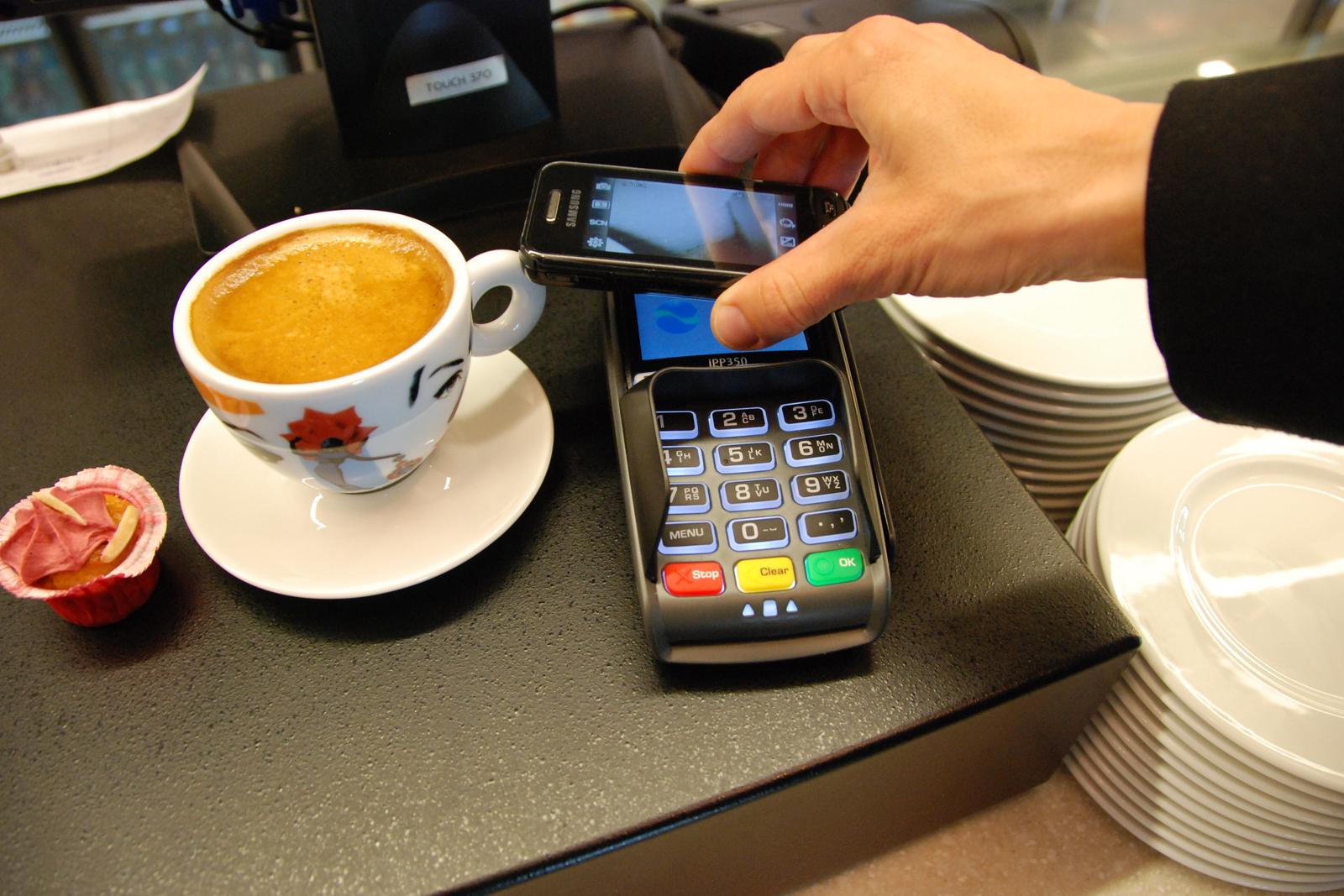
Apple Wallet. You hold the top of your iPhone near the identity reader. Apple says "You don't need to unlock, show, or hand over your device", and that a locked phone stays locked after you present the ID. Businesses can also check IDs with an ordinary iPhone running an ID Verifier app, with no extra hardware. In apps and on websites you tap "Verify with Apple Wallet" or, in Safari, "Verify Identity".
Google Wallet. Google's steps for a reader start differently: "1. Unlock your phone. 2. For a few seconds, hold the back of your phone close to the NFC terminal." At TSA you can also let the officer scan a QR code on your ID. Google Wallet asks you to authenticate before each share, and its digital IDs are "not available on iOS".
State apps. Some states use their own app. Connecticut's free Connecticut Mobile ID app was built by IDEMIA and shows a QR code that a business scans with a compatible verifier app. Connecticut's DMV says you "should review exactly what information is being requested and choose whether to approve or decline the request".
Sharing only your age
A digital ID can share less than your physical card. Apple's readers can receive "Age Over N" data, a yes or no that you are over a set age, along with your name and photo, instead of your full birth date and address. Google gives the example of proving you are "over 18" without revealing any of your personal information. Connecticut's vendor IDEMIA says users can prove their age without disclosing information like their address.
Which states have a mobile driver's license
As of November 18, 2026, TSA accepts mobile IDs from 22 states plus Puerto Rico: Alaska, Arizona, Arkansas, California, Colorado, Connecticut, Georgia, Hawaii, Illinois, Iowa, Kentucky, Louisiana, Maryland, Montana, New Mexico, New York, North Dakota, Ohio, Oklahoma, Utah, Virginia and West Virginia. Two will drop off: TSA says Utah's mobile ID will no longer be accepted from January 1, 2027, and West Virginia's from May 4, 2027.
Each wallet has its own, shorter list. Apple Wallet lists 16 states plus Puerto Rico, and Google Wallet lists 12 states plus Puerto Rico. TSA's list is longer because it includes state apps.
Connecticut is the newest. State officials unveiled the app on November 17, 2026, and the DMV lists it as available November 18. The DMV said the program cost the state $2.1 million to develop and implement, CT Mirror reported.
Apple Wallet ID and Google Wallet ID from your passport
If your state has no mobile ID, both wallets can now build one from a US passport.
- Apple Digital ID works for domestic TSA screening, apps and websites. Apple says it "is not a replacement for a physical passport and cannot be used to perform functions of a passport like international travel and border crossing". It needs an iPhone 11 or later on iOS 26.1 or later.
- Google ID pass is made from your passport. Google says "Only ID passes created with a US passport can be used at TSA security", and that an ID pass "isn't an official form of identification or a replacement for your physical documentation".
Where a digital ID is not accepted
A phone ID is accepted in fewer places than your card.
- Police. Apple says a physical ID "may still be needed (e.g., by request of law enforcement)". Connecticut's app "is not accepted by law enforcement as a substitute for your physical credential", and DMV Commissioner Tony Guerrera said police acceptance would likely require an act of the legislature, Connecticut Public reported.
- Voting. Connecticut's app cannot be used for voting.
- Stores and bars. In Connecticut, "Businesses will not be required to accept mobile IDs".
- Airports. TSA says all passengers must still carry an acceptable physical ID.
Can police search your phone if you show a digital ID?
A common worry about phone licenses is whether showing one lets police search the phone. Apple's answer is that you do not hand the phone over at all: you hold it near the reader. Some states also wrote the answer into law.
- Montana: handing over a phone that shows an electronic license "does not constitute consent to a search or seizure of the electronic device".
- Louisiana: showing the credential "shall not serve as consent or authorization for a law enforcement officer or any other person to search, view, or access any other data or application on the mobile device", and the officer "shall promptly return the mobile device."
- Indiana: sending data from a mobile credential "shall not serve as consent or authorization" to search anything on the phone other than the credential.
- New Jersey: a 2025 law says handing over or showing a phone for a digital license "shall not constitute the holder's consent to a search" of the phone, and no one, including police, may take the phone to check your ID. It takes effect in 2029; New Jersey does not offer a digital license yet.
If your state has no such law, the simplest step is the one Apple, TSA and Connecticut all give: carry your physical card and show that to police.
Face verification and selfie checks
A face check compares your face with something already on file. Where that comparison happens makes a big difference.
On your phone. Face ID and Touch ID check you on the device itself. Apple says "Face ID data doesn't leave your device, is never available to iOS or iPadOS, apps, or Apple, and is never backed up to iCloud or anywhere else", and "Apps are notified only as to whether the authentication is successful." The app gets a result, not your face. OpenAI's ChatGPT Wallet works this way: "Approving a purchase requires biometric verification, such as Face ID or Touch ID, on a supported device". OpenAI's privacy notice lists "the authentication result" among what it collects, and the purchase is paid with a payment token, which OpenAI calls "a substitute for the user's actual card details". As of launch on November 13, 2026, Wallet is for "ChatGPT Pro subscribers aged 18 and older in the US with eligible US-issued cards".
Sent to someone else. A selfie you upload goes to the company or agency that asked for it. Today's online passport renewal checks your uploaded photo with an automated tool, and then "An employee will review your photo". The page does not mention facial recognition.
New passport applications are starting to use a face check. On November 16, 2026, the State Department began a pilot that lets some adults apply online through America.gov. Applicants verify their identity with Login.gov, which captures a live photo and then "compares the identity to the application's information using a variety of tools, including facial recognition to the identification documents provided," the Federal Register notice says. Login.gov says that "For the first year, authorized personnel can also access the identity documents you submitted". The pilot starts with people who use a Certificate of Naturalization or who held an earlier passport but cannot renew online.
On July 2, describing plans to let Americans apply for passports online, Secretary of State Marco Rubio said the system would check a photo taken on your own device in real time and "verify the facial ID". On September 29 he said the goal is for "the vast majority of Americans" to be able to apply on America.gov by the end of 2027.
At the airport, TSA's own face cameras follow separate rules. See what the TSA face scan keeps and how to opt out.
Age verification for social media and apps: what starts in 2027
There is no single national law. Several states have their own, and they work in different ways.
| State | Starts | What it requires |
|---|---|---|
| California (AB 1043) | Jan 1, 2027 | Your phone or computer's operating system asks your birth date or age at account setup and passes an age range to apps. The law says it does not require the collection of additional personal information. |
| Indiana (HEA 1408) | Jan 1, 2027 | Large platforms must determine age and state of residence, and need verifiable parental consent for users under 16. Accounts of users under 16 lose infinite scroll and autoplay. |
| Vermont (Act 63) | Jan 1, 2027 | Uses "age assurance", which can include estimation. The Attorney General's rules must prioritize user privacy and accessibility over the accuracy of age checks. |
| New York (SAFE for Kids Act) | Jan 25, 2027 | Limits algorithm feeds and night alerts for users under 18 without parental consent. Platforms must offer at least one way to check age besides a government ID. |
Outside the US, Australia has required platforms to take reasonable steps to keep users under 16 off since 10 December 2025.
Digital ID outside the US
On November 14, 2026, ASEAN members signed the Digital Economy Framework Agreement in Manila. Its areas include "digital identity" along with digital trade, payments and data privacy, and ASEAN says it is expected to enter into force in early 2027. The published summary lists digital identity as a topic. It does not describe a single ID for the region.
Is a digital ID safe? What each one shares and keeps
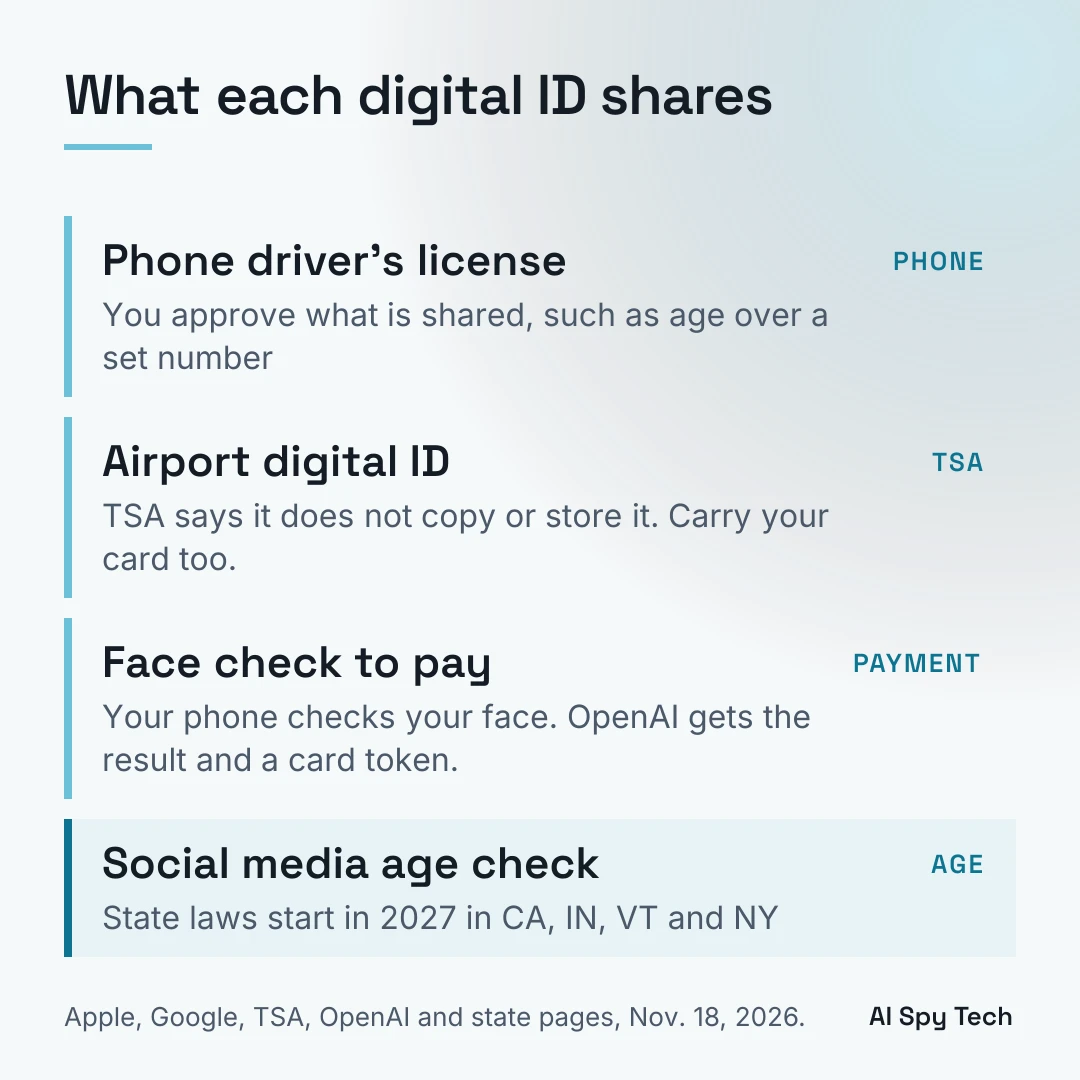
| Phone driver's license | Airport digital ID (TSA) | Face check to pay (ChatGPT Wallet) | Social media age check | |
|---|---|---|---|---|
| What the other side gets | What you approve: for example age over a set number and your photo | Your ID data at the checkpoint | The authentication result and a card token | Depends on the state (see table above) |
| Who keeps a record of where you used it | Apple: "Neither Apple nor your state issuing authority can see when or where you share your information". Google: it "doesn't keep a record of where you present your digital ID" | TSA "does not copy or store the digital ID, unless it is done in a limited testing environment" | OpenAI receives limited card details such as the last four digits, not the full card number | Depends on the state and platform |
| Do you need the phone unlocked | Apple: no unlock, but you confirm with Face ID or Touch ID. Google: yes, for a reader | Depends on the wallet | Yes, Face ID or Touch ID per purchase | Not applicable |
| Can you skip it | Yes, show your card | Yes, show your card | Yes, the feature is optional | NY: a non-ID option is required |
How to protect yourself, free steps first
- Keep carrying your physical card. TSA, Apple and Connecticut all say the phone version does not replace it, and police in Connecticut do not accept the app.
- Hold the phone to the reader yourself. Apple says you do not need to hand over the device. With Google Wallet, unlock it, tap it to the reader and keep it in your hand.
- Show police the card, not the phone. In Montana, Louisiana and Indiana, the law says showing a phone ID is not consent to search the phone. In other states, the card avoids the question.
- Read the request before you approve it. If a store only needs your age, approve the age-only request. Decline a request that asks for more than the task needs.
- Know where your face check happens. Face ID and Touch ID run on your phone. A selfie upload goes to the company or agency that asked for it.
- Ask for another option on age checks. In New York, platforms must offer a way to check age without a government ID. In California, the age comes from your device setup.
- Lock your phone with a passcode. Google Wallet requires a screen lock to use a digital ID, Apple requires a passcode before you can use Face ID, and Connecticut's app opens only with Face ID, Touch ID or a 6-digit PIN.
- Check where your data already sits. A digital ID adds one more place your name and photo live. To clear the places that already sell it, see how to remove your personal information, and for face search sites see how to remove your face from PimEyes.
FAQ
What is a digital ID?
A digital ID is an electronic version of your ID that can prove who you are. TSA calls it "an electronic representation of personally identifying information". In the US the most common one is a mobile driver's license in Apple Wallet, Google Wallet or a state app.
Which states have a digital driver's license?
TSA accepts mobile IDs from 22 states plus Puerto Rico as of November 18, 2026. Connecticut is the newest, available from November 18.
Do I have to hand my phone to the person checking my ID?
Apple says no: "You don't need to unlock, show, or hand over your device." You hold it near the reader. With Google Wallet, you unlock the phone and hold it to the reader, or let it scan a QR code.
Does Apple or Google know where I showed my ID?
Both say no. Apple says neither it nor your state can see when or where you share your information. Google says it doesn't keep a record of where you present your digital ID.
Does ChatGPT Wallet get my face?
The approval uses Face ID or Touch ID on your device. OpenAI's privacy notice lists the authentication result among the data it collects. It does not list your face.
Is a digital ID safe?
Apple and Google say they do not keep a record of where you show it, TSA says it does not copy or store the digital ID, and you approve each share. The limits are where it is accepted: police in many places still need the physical card, so carry both.
Every rule, number and quote on this page was read on Apple, Google, TSA, State Department, Federal Register, Login.gov, OpenAI, Connecticut DMV, IDEMIA, state legislature, Justia, eSafety and ASEAN pages, plus CT Mirror and WSHU news reports, on November 18, 2026. Digital ID rules change often; check the linked pages before you rely on them.