

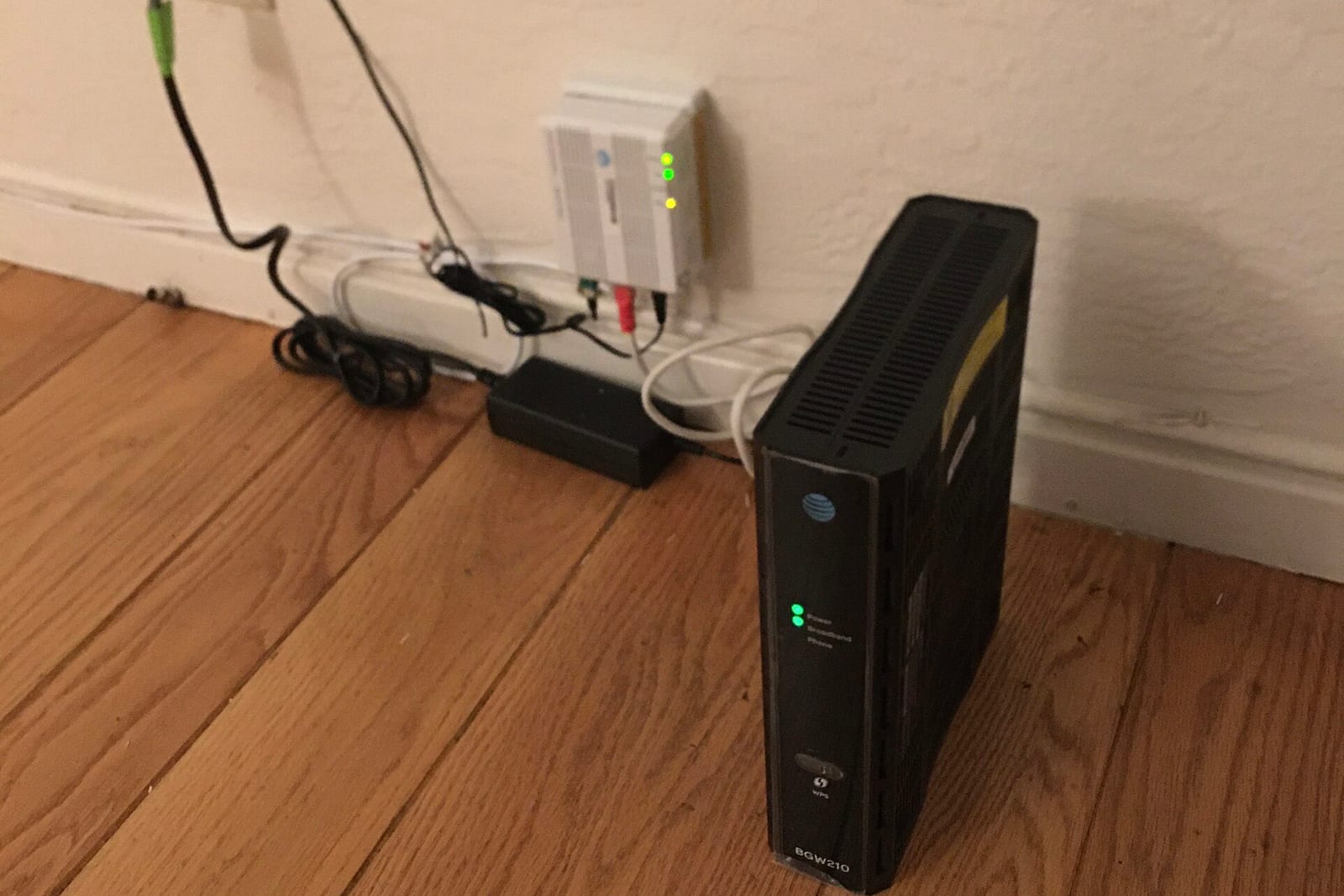
Wi-Fi motion detection uses the signals already moving between your router and your other Wi-Fi devices to notice when someone walks through a room. It needs no camera and records no sound. Comcast offers it on newer Xfinity gateways as WiFi Motion. The feature is off until you turn it on, and when it is on, Comcast keeps a record of when motion started and stopped for seven days. Radar presence sensors go further: they can tell that a person is still in the room while sitting still.
Below: what each kind of sensor can know, who keeps the data, and how to turn each one off. Company details come from each company's own pages, read on November 17, 2026, unless another source is linked.
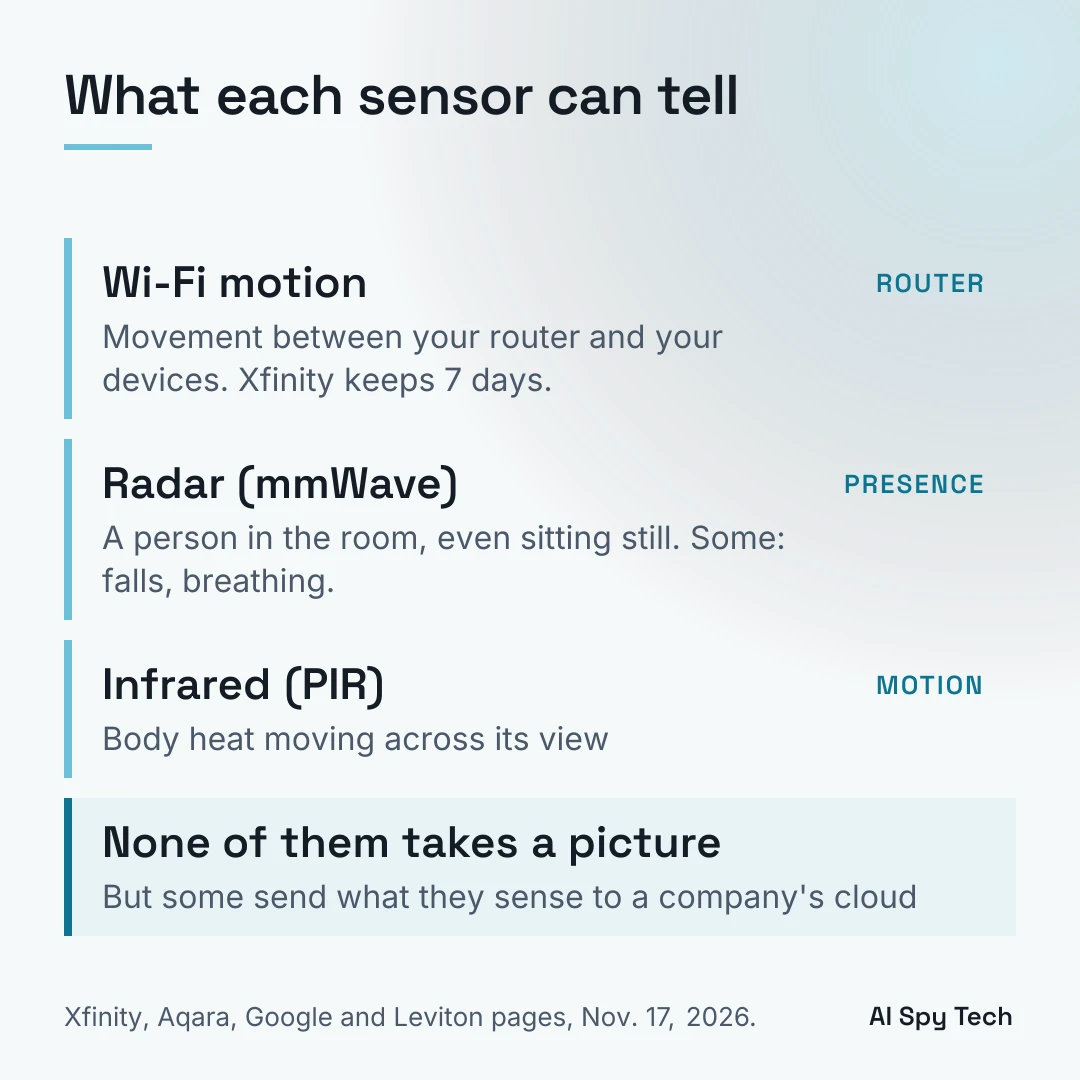
What Wi-Fi motion detection is
Wi-Fi signals bounce off walls, furniture and people on their way between devices. When a person walks between your router and, say, a smart speaker, the signal arriving at the speaker changes in small, measurable ways. Software watches for those changes and calls them motion. Kaspersky explains the basics: the router measures how the signal changed in transit, and an app tells you when it saw movement.
The industry name for this is Wi-Fi sensing. In 2025 it became part of the Wi-Fi rulebook: the IEEE, the body that writes Wi-Fi standards, approved the 802.11bf standard for "WLAN sensing" on May 28, 2025 and published it on September 26, 2025.
Xfinity WiFi Motion: what it does and what Comcast keeps
Comcast's WiFi Motion page describes it as an opt-in part of Xfinity WiFi Shield that is "turned off by default." According to Comcast's pages:
- What it senses: movement between your Xfinity gateway or extenders and up to five Wi-Fi devices you pick, which work best if they stay in one place and stay powered on, such as a smart speaker or a thermostat. Phones, tablets, computers and devices plugged in by Ethernet cannot be used (FAQ).
- What it does not do: Comcast says it "does not use cameras, capture images or video, or record audio," and that it is "designed to detect motion, not identify specific people."
- Which gateways: Comcast's support page lists the Technicolor XB7, XB8, XB9, XB10, MXB1 and XER10, plus XE2 extenders; it is not available with the CommScope XB7, Storm-Ready WiFi, Pro Protection or a Pro WiFi Extender.
- What is stored: "Motion event history is stored in Comcast cloud systems for seven days." That history is when movement was detected and when it ended.
- Who watches it: nobody. The FAQ says WiFi Motion "is not a home security service and is not professionally monitored."
- Pets and children: pets of around 40 pounds or less can be filtered out, but Comcast's setup page says it "cannot always differentiate pet motion from human motion, especially for children around 40 pounds or less."
- Neighbors: the same page says the Low sensitivity setting "may be useful in apartments or homes with shared walls."
Comcast first offered the feature in 2024, BleepingComputer reported. Comcast made it part of a wider Xfinity Shield launch on August 18, 2026.
Can Comcast share your motion data?
Comcast's pages give two different wordings, both live on November 17, 2026. The feature page's fine print uses the first, while its own FAQ and the support page use a version close to the second:
| Page | What it says |
|---|---|
| WiFi Motion feature page, fine print | Comcast, "subject to applicable law," "may disclose information generated by your WiFi Motion to third parties without further notice to you in connection with any law enforcement investigation or proceeding, any dispute to which Comcast is a party, or pursuant to a court order or subpoena." |
| WiFi Motion support page | Comcast "may be required to disclose information generated by WiFi Motion in response to a valid subpoena, court order, search warrant or other lawful legal process, as required by law." |
The first wording is the one TechCrunch quoted from Comcast's support page on launch day. The support page now uses the second. Comcast's pages do not say which one governs.
How to check and turn off Wi-Fi motion
Xfinity: in the Xfinity app, open the Home tab, select the WiFi Motion status, then the gear icon. Comcast's setup page lists "Turn WiFi Motion on or off" there. If you never turned it on, Comcast says it is off.
Verizon Fios: Verizon offers Verizon Home Awareness, which it describes as "motion-detection alerts in your home without invasive cameras," through the Verizon Home app for Fios internet customers. Check that app for the setting.
Rogers (Canada): Rogers offers WiFi Motion in the Rogers Xfinity app. Its help page says the feature "is turned off by default" and that motion activity can be reviewed "for the past 7 days." That page says nothing about sharing the data.
Plume: Plume, whose equipment some internet providers use, ran a motion feature called Sense. Plume says Sense ended on October 31, 2026, with timing that "may vary by service provider," and that "motion history won't be available after Sense ends."
Linksys: Linksys Aware, an earlier home Wi-Fi motion service, reached end of life on April 1, 2024 and end of support on August 31, 2024, per the Linksys end-of-life list.
On Reddit's privacy forum, one user warned others that Xfinity gateways can sense motion, and a commenter argued that the sensing ability cannot really be switched off unless the Wi-Fi radio is off. The off switch controls whether Comcast's motion feature runs and keeps a history, not whether your router sends Wi-Fi.
Can Wi-Fi see through walls?
Wi-Fi and other radio signals pass through walls, so in labs, researchers have done much more with them than home products do today:
- MIT, 2018: RF-Pose used radio signals, not Wi-Fi, to estimate people's body poses through walls, and identified a person 83% of the time out of a lineup of 100.
- Carnegie Mellon, 2022: DensePose from WiFi mapped the shapes of people's bodies using two ordinary routers. The authors called performance "still limited," especially in rooms it had not seen.
- KIT (Karlsruhe Institute of Technology), 2025: in a paper presented at the ACM CCS security conference in October 2025, researchers identified people from ordinary Wi-Fi traffic with 99.5% accuracy in a study of 197 participants. KIT's press release says the data they used is sent "in unencrypted form so that it is readable by anybody in range," that the attack needs "nothing but a standard WiFi device," and that the people did not need to carry any device. The team called for privacy protections in the 802.11bf standard.
These are lab results, not features of a home router. Comcast says its feature does not identify people or track the exact location of movement, though alerts say which device's path the motion crossed. The research shows what the signals can carry, which is why the standard and the companies' rules matter.
Radar presence sensors (mmWave)
A presence sensor answers a different question from a motion sensor: is anyone still in the room? Many use millimeter-wave (mmWave) radar, which can pick up very small movements such as breathing.
- Aqara FP2: Aqara's product page says it uses mmWave radar, "does not require a camera," can detect up to 5 people at once, and can split a room into zones. Mounted on the ceiling it can detect falls, and Aqara says it is "not a medical device." Aqara says some newly added features "may require the Aqara subscription." It says its automations run "without sending to the cloud" with other Aqara or Apple Home devices, but its product page does not say whether presence detection itself stays on the device.
- Aqara FP300: combines an infrared sensor with 60GHz radar and, per Aqara, "detects presence even without movement." It needs an Aqara hub and app, or a Matter controller.
- Google Nest Hub (2nd gen): Google says its Motion Sense "uses a low-energy radar to detect movement and breathing," and that the device has no camera. Sleep Sensing is off by default. Google says audio from Sleep Sensing "is processed on your Nest Hub (2nd gen) only," but it makes no such promise for the radar: its privacy page says Google collects data from sensors including the "Soli sensor." You can turn Motion Sense off in settings.
Infrared (PIR) and ultrasonic sensors
Most ordinary motion sensors are passive infrared (PIR). Leviton, a lighting controls maker, says a PIR sensor works by "detecting changes in heat emitted by moving humans compared to the background." It needs a clear line of sight and can switch lights off on someone who is present but not moving. It does not make a picture.
Ultrasonic sensors send out high-frequency sound, typically 32 to 40 kHz, and listen for the echo to change, Leviton says. Some ceiling sensors combine both.
Occupancy vs vacancy sensors. California's Energy Commission defines them this way: occupancy sensors turn lights on when someone enters and off within 20 minutes after they leave; vacancy sensors, "also known as manual-on/automatic-off occupant sensors, require occupants to turn lights on manually."
PoE motion and occupancy sensors
PoE (Power over Ethernet) sensors get power and a network connection from one Ethernet cable, under IEEE 802.3 Power over Ethernet rules first set out in 802.3af in 2003. They are mostly used in offices and commercial buildings. Examples, from the makers' pages:
- Crestron CEN-ODT-C-POE: infrared plus 40 kHz ultrasonic, covers 2,000 sq ft, and can report occupancy status to Crestron's XiO Cloud.
- PoEWit MD-2: motion and light sensing over PoE that integrates with PoEWit's cloud platform.
- Genisys: PoE ceiling sensors for occupancy, vacancy and light level.
- Monnit: an infrared PoE motion detection sensor that picks up movement by people or large animals within 16.4 feet (5 m) and stores its readings in Monnit's online iMonnit system, per its user guide.
Because these sensors sit on a network, the building owner can collect occupancy data over time. That is the part to ask about at work.
Sensors in places you do not control
You may live or work around sensors someone else installed.
- At work: in 2016 the Daily Telegraph put boxes under desks that tracked "whether someone is at their desk using heat and motion sensors," then withdrew them after staff complained. In 2017 Barclays used similar under-desk sensors and said they were "assessing office space usage," Banking Dive reported.
- In a rental: on Reddit, a tenant described the landlord's workers installing a "temperature management" sensor in the flat without notice, and students at one university found motion sensors under desks in a campus building. Ask what a sensor measures, where the data goes and who sees it.
- At an Airbnb: since April 30, 2024, Airbnb does not allow indoor security cameras. Noise monitors are allowed if the host discloses them and keeps them out of bedrooms, bathrooms and sleeping areas. For other smart home devices, hosts are "encouraged, but not required, to disclose." So a motion or presence sensor may not be listed.
Sensors that keep the data in the house
If you want motion alerts or lights that switch themselves, a sensor with no network connection keeps that information at home. None of these three uses a camera. The FULNIX listing says it needs no Wi-Fi or app, and the two wired switches have no Wi-Fi or app features in their listings.
FULNIX solar driveway alarm
Four solar-charged outdoor motion sensors send an alert to a portable receiver, which the listing says works up to 3,000 feet away in open, unobstructed conditions. Setup needs no Wi-Fi, app, subscription or wiring, the listing says. It tells you something moved, not what it was: the listing says it detects vehicles, people and large animals.
See the FULNIX solar driveway alarm on Amazon
ENERLITES MPC-50L ceiling occupancy sensor
A low-voltage infrared ceiling sensor with a 360-degree view that the listing says covers up to 1,200 sq ft and controls LED, CFL and incandescent lighting. It needs a separate ENERLITES MPP-24 power pack, so it suits an electrician's install; the listing pitches it for homes, offices and commercial buildings.
See the ENERLITES MPC-50L sensor on Amazon
ELEGRP motion sensor light switch (10 pack)
An infrared wall switch with occupancy, vacancy and manual modes, a 120-degree view and, per the listing, coverage up to 900 sq ft. It needs no neutral wire but does need a ground wire, and it is single-pole only, so it will not work on a three-way circuit.
See the ELEGRP motion sensor switch on Amazon
FAQ
Is Xfinity WiFi Motion on by default? No. Comcast says it is off by default and you turn it on in the Xfinity app.
Does Wi-Fi motion detection record video or sound? Comcast says WiFi Motion uses no camera and records no audio. It keeps a seven-day history of when motion started and stopped.
Can my router see me through walls? Home features like WiFi Motion detect movement, not images, and Comcast says it does not identify people. In labs, researchers have mapped body poses and identified people from Wi-Fi and radio signals.
Can Comcast give my motion data to police? Comcast's support page says it may be required to disclose it in response to a subpoena, court order, search warrant or other legal process. The fine print on its feature page says it may disclose it to third parties without further notice in connection with a law enforcement investigation.
What is the difference between a motion sensor and a presence sensor? A motion sensor notices movement. A presence sensor, usually radar, can tell that someone is still in a room even while sitting still.
What is the difference between an occupancy sensor and a vacancy sensor? An occupancy sensor turns lights on and off by itself. A vacancy sensor makes you turn lights on by hand and turns them off by itself.